FNF vs Tricky Phrase 5 is a solid fan-made rhythm game that builds on the original FNF formula. The new songs are enjoyable, and the charts offer a fair challenge for players of different skill levels. The game is easy to pick up and play, making it suitable for short breaks or longer sessions. Replayability comes from trying to perfect your score on each song. The open-source nature adds transparency and trust. Overall, it is a worthwhile experience for rhythm game fans.
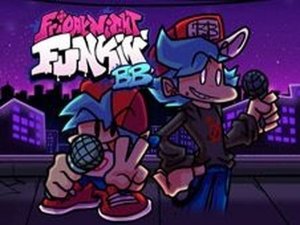
FNF vs Tricky Phrase 5 is a fan-made mod for the popular rhythm game Friday Night Funkin. In this version, you help Boyfriend (BF) face off against Tricky in a musical battle. The game features new songs and charts that test your timing and reflexes. As arrows appear above BF's head, you must press the matching arrow keys on your keyboard to hit each note. A progress bar shows how well you are performing. Missing too many notes ends the game, so focus and practice are key. This open-source game was created by developers including ninjamuffin99, PhantomArcade 3K, Evilsk8r, and Kawai Sprite, with mod work by Aggravateexe and CDMusic. It is safe for all ages and suitable for family play.
To play FNF vs Tricky Phrase 5, watch for the arrows that appear above BF's head. When you see an arrow, press the corresponding arrow key on your keyboard: up, down, left, or right. Press the key at the right moment to match the note. Your goal is to keep the progress bar in your favor by hitting notes accurately. The better you perform, the closer you get to finishing the song. If you miss too many notes, the progress bar drops and you lose the game. Practice helps improve your timing and rhythm. No special equipment is needed—just your keyboard and attention.
Fun rhythm gameplay with catchy songs. Challenging arrow-matching action that tests your reflexes. Progress bar shows your performance in real time. Open-source and family-friendly content. New songs and charts exclusive to this mod.
Practice regularly to improve your timing and rhythm. Focus on the arrows and try to press the keys just as they reach the target area. If you find a song difficult, start at a slower speed or repeat easier sections. Staying relaxed and keeping your eyes on the arrow prompts can help you react more quickly. Over time, your muscle memory will develop, making it easier to hit notes accurately.