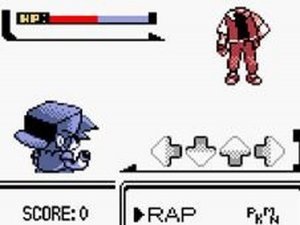
FNF Insanity Unleashed vs Insanity Sans delivers a solid rhythm experience with a distinct Undertale flavor. The controls are responsive, and the difficulty ramps up nicely across songs. Story mode provides a clear goal, while free play lets you hone your skills. The mod respects the source material and offers good replay value for those aiming to perfect their scores. It is a clean, well-made fan project that avoids any inappropriate content.
FNF Insanity Unleashed vs Insanity Sans is a fan-made modification for Friday Night Funkin' that pits players against a formidable version of Sans from Undertale. This rhythm game combines the core mechanics of FNF with original music and visuals inspired by the Undertale universe. Created by Faaaaaaku and SuperBendy53, with credits to ninjamuffin99 and the original team, this open-source project offers a fresh challenge for fans of both games. Players must keep a steady rhythm to progress through intense musical battles. The game is designed to be accessible for all ages, with no violent or inappropriate content.
To play FNF Insanity Unleashed vs Insanity Sans, start by selecting either story mode or free play mode from the main menu. During gameplay, watch the arrow symbols floating above BF's head. Press the corresponding arrow keys on your keyboard at the same time the symbols match. If you miss too many notes in a row, you must restart the song from the beginning. Stay focused and maintain a consistent rhythm to advance through the tracks. The game is easy to learn but requires practice to master.
Game features include rhythm-based gameplay that tests your timing and coordination. Multiple modes offer variety, with story mode providing a structured progression and free play allowing you to practice individual songs. The challenging battles against Sans require precision and concentration. The game is open-source and family-friendly, making it suitable for players of all ages.
To succeed in FNF Insanity Unleashed vs Insanity Sans, practice regularly to improve your timing and reaction speed. Focus on the rhythm of the music rather than just the visual cues, as this helps maintain consistency. If you struggle with a particular section, use free play mode to repeat it without pressure. Take short breaks between attempts to avoid fatigue and maintain concentration.