Mario Jigsaw Puzzle
Reviews
Mario Jigsaw Puzzle delivers a straightforward jigsaw experience: drag pieces onto a transparent board, use the reference image, and complete the picture at your own speed. The three difficulty settings and absence of timers make it accessible to casual players and children. The main limitation is variety—the input describes a single fresh image per session, so replay value depends on how often new artwork appears. Fans of the Mario theme and relaxed puzzle games are the most likely audience.
Description
Assembling the Image
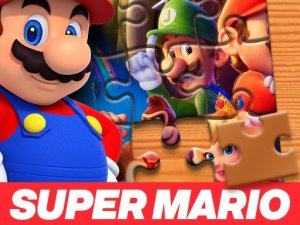
Each session of Mario Jigsaw Puzzle presents a single Mario-themed illustration rendered in a bright, friendly style. The board shows a transparent outline where the finished picture belongs, and the pieces are scattered randomly across the screen. You drag each piece toward its matching spot; when it is close enough to the correct position, it snaps into place. A reference view of the completed artwork stays visible, so you can compare shapes, colors, and edges instead of guessing blindly.
Difficulty and Pacing
Before the puzzle starts, you pick from three difficulty levels: easy, medium, or hard. The choice changes how demanding the assembly feels, but the core loop stays the same—no timers, no move limits, and no penalty for pausing. That structure makes the game approachable for younger players or anyone who wants a low-pressure activity. Because there is no countdown, you can leave the tab open and return without losing progress.
Controls and Accessibility
The controls are limited to selecting and dragging pieces, which keeps the game playable on both desktop and mobile browsers. Pieces are sized to be easy to see and move, and no download or installation is required. The family-friendly presentation avoids violent or frightening imagery, and the Mario theme gives the artwork a recognizable, nostalgic appeal for fans of the franchise.
Approaching a Puzzle
Sorting edge pieces from interior pieces is a practical first step, since border pieces have a distinct straight side and fewer possible positions. Working on one section at a time—a character's face, a background block—reduces the number of decisions per move. The reference image is most useful when you are stuck on a piece with ambiguous colors. Short breaks help reset your pattern recognition if progress stalls.
Compatibility
Faq
Does Mario Jigsaw Puzzle require a download or account?
What do the difficulty levels actually change?
Is there a time limit or score penalty in Mario Jigsaw Puzzle?
Can I see the finished picture while I work?
Is Mario Jigsaw Puzzle suitable for children?
What is the best way to start a difficult puzzle?
Games You Might Enjoy

Bouncy Ball Empire Idle

Balloon Pop Challenge

Wednesday Dance Moves

Friendly Drop Physics Puzzle
Delicate Boy Escape Puzzle
Merge Number Bubble Puzzle

Happy Balls Physics Puzzle
Find the Differences Puzzle

Speed Rhythm Music Arcade Game

Duck Key Quest: Puzzle Adventure
Combine Gear Idle Puzzle
Editorial Notes