Animal Photo Puzzle Challenge
Reviews
Animal Photo Puzzle Challenge keeps its scope narrow and does it well: scrambled pieces, a board, and animal photographs to rebuild. The adjustable piece count is the strongest design choice, letting the same game serve a young child and an adult in the same session. Rotating tiles and the hint button add just enough interaction to prevent stagnation. The lack of timers or scoring suits its relaxed intent, though players seeking competition or progression systems will find none here.
Description
Rebuilding Animal Photographs
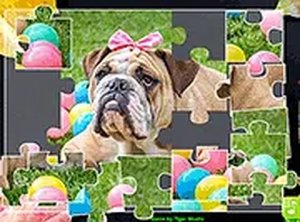
Every round begins with a scrambled set of pieces that together form a single animal photograph. Your task is to drag each piece onto the board and arrange them until the original image is restored. The gallery covers different animals, and each picture brings its own colours and patterns, so the assembly process changes noticeably from one puzzle to the next. There is no timer and no score, which keeps the focus on finishing the image rather than racing against a clock.
Choosing Your Piece Count
Before a puzzle starts, you decide how many pieces to work with. A low piece count produces a short, approachable task that suits beginners or a quick session. A higher count stretches the assembly into a longer, more detailed exercise. Because this setting is chosen per puzzle, the difficulty can be raised or lowered at any point instead of being locked to a single fixed level.
Controls and the Hint System
The game runs in a web browser on desktop and mobile. On a computer you click and drag pieces with a mouse; on a phone or tablet you touch and slide them with a finger. Tapping or clicking a piece rotates it, which matters when a tile is correctly positioned but facing the wrong way. A hint feature highlights the next piece to place, offering guidance without revealing the full solution.
Visual Style and Play Setting
The photographs are clear and colourful, showing animals in their natural habitats. The interface stays uncluttered so nothing pulls attention away from the board, and a full-screen mode is available for a more focused session. The overall tone is calm, and the absence of pressure encourages players to work at their own pace.
Who It Suits
No download, account, or payment is needed, so the game opens directly in a browser on any connected device. The simple controls and lack of time limits make it workable for family play, where a parent and child can share one puzzle, and it also functions as a quiet solo activity during downtime.








Editorial Notes